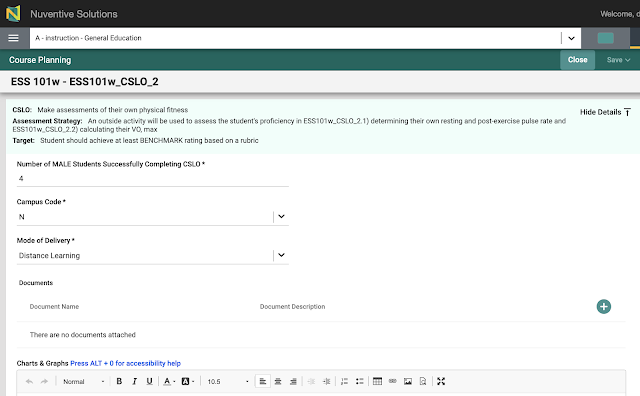
Learning outcomes from Moodle to Nuventive

To move learning outcomes from Moodle to Nuventive requires first having set up outcomes in Moodle. Setting up outcomes is optimally done prior to the start of the term. That said, outcomes can be created and attached to any assignment that has not yet had submissions. In order to set up learning outcomes in Moodle, a rating Scale must first be set up. Scales are set up from a submenu on the Grades tab from the course home page. Use Add a new scale to create a rating scale. Give the scale a name. Once used anywhere else in Moodle, the scale cannot be edited. This is why the scale is grayed out above: the scale is in use. The scale is a comma separated list of words. Keep each rating short, the rating words will populate a drop down list. The ratings must be in order from lowest rating to highest rating . Under the hood, Moodle, with default admin settings, will assign one point to the first rating, two points to the second rati...